04 · when the screenshot arrives · Guide · 12 pages
Why Google rankings fluctuate
Your client checks rankings daily and panics weekly at movement that means nothing.
A calm, cited guide to why the position your client checks this morning is not the position everyone else sees: what moves rankings, what a screenshot really proves, and how to tell weather from climate.
01 Real pages from the finished document
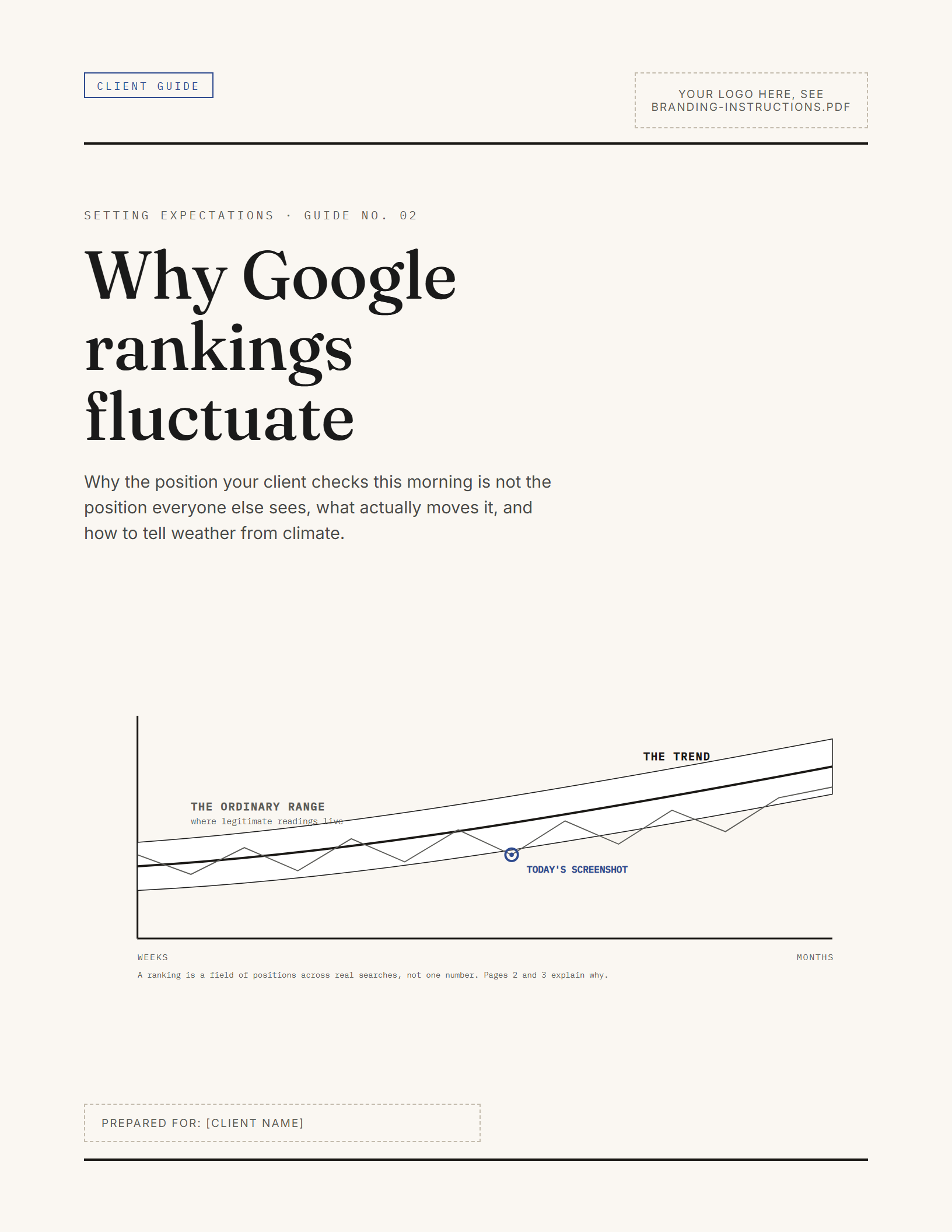
Renders of the actual built pages. Nothing here is a mockup. The branded view is the same document with a buyer’s logo, accent colour and typeface applied.
02 What you receive
The finished document
12 pages, a tagged PDF, ready to send to a client as it is.
The editable master
A DOCX with real heading styles. Swap the logo, the accent colour and the typeface; the argument, the figures and the sources stay exactly where they are.
The Canva-importable deck
One slide per page, verified by a real import. The text stays editable, so you can present it as well as send it.
With the record that backs it up: branding instructions, the full source register, the version history, the usage terms, and a machine-readable file list. 11 files in total.
Every file in the package
- Start herePDF
- Client-facing guidePDF, ready for screens
- Editable sourceDOCX, the working master
- Canva-importable editable deckPPTX
- Branding instructionsPDF
- Sources and referencesPDF
- Version historyPDF
- Standard usage termsPDF
- Font and asset noticesTXT
- Complete file listJSON
03 What your client understands after reading this
- Why two people can honestly see different results for the same search
- What moves rankings on Google's side, your side, and neither
- How to review a real change without drama, on evidence
Who it is for
- Agencies whose clients check rankings daily
- Consultants explaining a core update without jargon
- Anyone talking a client out of a panic decision
04 The apparatus
Every factual claim in this resource traces to a source below, and the class of each source is printed: official documentation and a named employee’s statement are different kinds of evidence, and we never blur them. Your client can weigh each one themselves.
- [1]
A Guide to Google Search Ranking Systems · Google Search Central
- [2]
How Results Are Automatically Generated · Google (How Search Works)
- [3]
Debugging Drops in Google Search Traffic · Google Search Central
- [4]
What Are Impressions, Position, and Clicks? · Google Search Console Help
- [5]
Google Search's Core Updates and Your Website · Google Search Central
- [6]
Tips to improve your local ranking on Google · Google Business Profile Help
- [7]
In-Depth Guide to How Google Search Works · Google Search Central
- [8]
AI Features and Your Website · Google Search Central
- [9]
Generative AI performance report · Google Search Console Help
Reviewed every 6 months. When something we cite changes, the correction is published, not silently patched.
05 What you may do with it
Usage rights included
- Rebrand it with your logo, colours, and fonts
- Give the finished result to your clients
- Include it in paid service packages
You may not resell it, share the editable source, or add it to a template library. See the usage rights
06 Questions
Will this stop my client checking rankings every day?
It gives the habit somewhere better to go. The guide separates a position on a screenshot from the pattern over months, and closes with what to watch instead, so the daily check can become a calmer review.
Does it cover core updates?
Yes, in plain language: what Google says an update is, why positions move while nothing on the site changed, and why the sensible response begins after an update finishes rolling out rather than on day one.
Does it cover AI features like AI Overviews?
Yes, with what Google actually documents: how links inside AI features are counted in Search Console, why the page changing shape moves numbers on its own, and what to check before reacting. Nothing speculative, and no "AI ranking" promises.
Do I need a Canva Pro subscription?
No. The editable deck is a PPTX built for import into your own Canva account, one page per slide, with editable text and shapes. A free Canva account is enough. It also opens directly in PowerPoint.
May I give this to my client?
Yes. That is the point. Rebrand it, deliver it, and include it in paid work. The one thing you may not do is pass on the editable source files or publish them anywhere.
What formats do I get?
A finished PDF for screens, an editable DOCX working master, and a Canva-importable PPTX. Every document, every page, in every format.
What happens when the guidance changes?
We re-check every resource against its sources on a stated schedule. When something material changes, we correct it, record the correction openly, and the updated file is yours.
Can I buy anything yet?
Yes. Every resource can be bought and downloaded now. You get the editable files straight after payment, with your usage rights included.
The conversations either side of this one
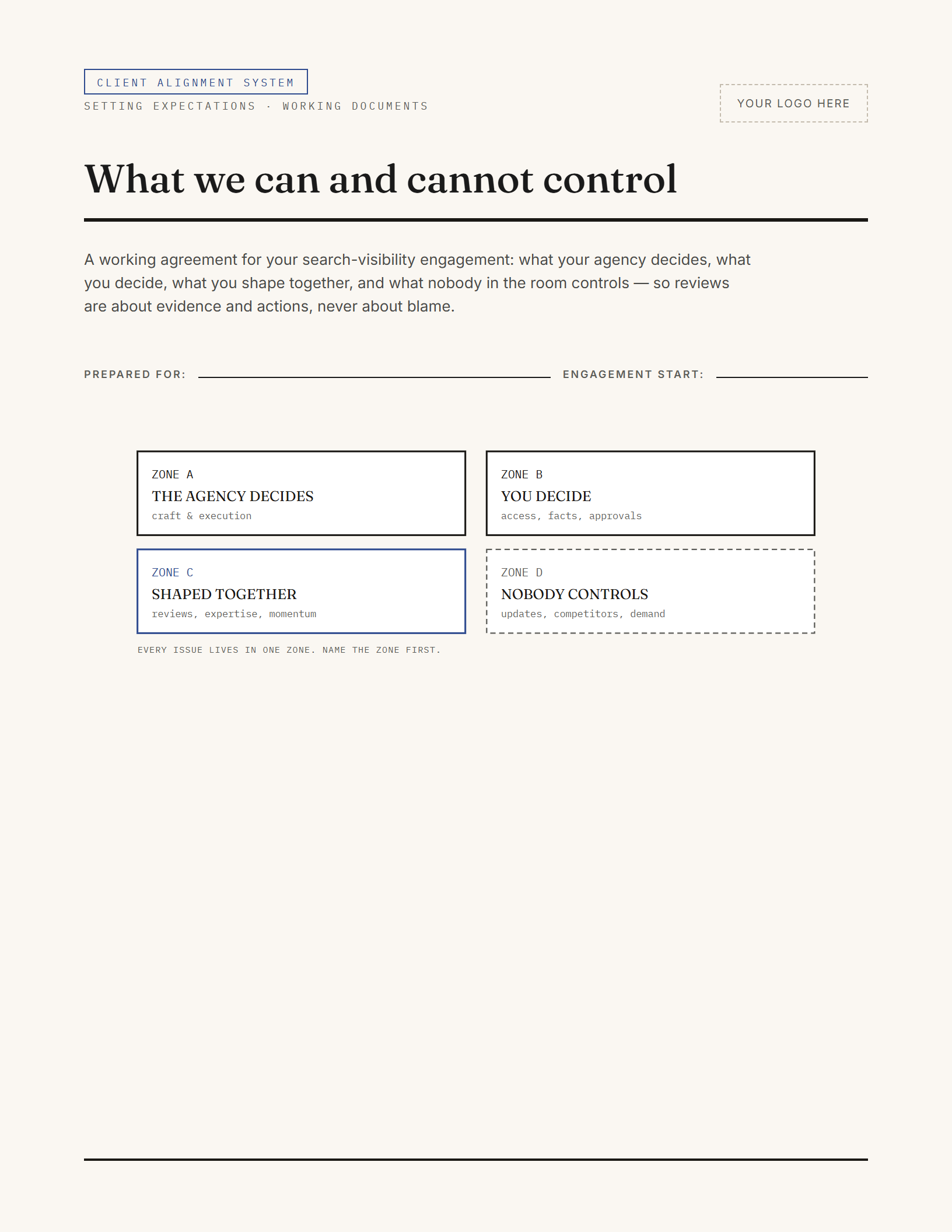
03 · every review
What we can and cannot control
Your client blames you for a competitor's investment, an algorithm update, and their own unanswered emails.
The alignment system. Brought to every review so issues land in a responsibility zone, not in an argument.
- Format
- Workbook, 11 pages
- Editable
- DOCX + Canva-importable PPTX
- Sources
- 5 primary
- Files
- 13
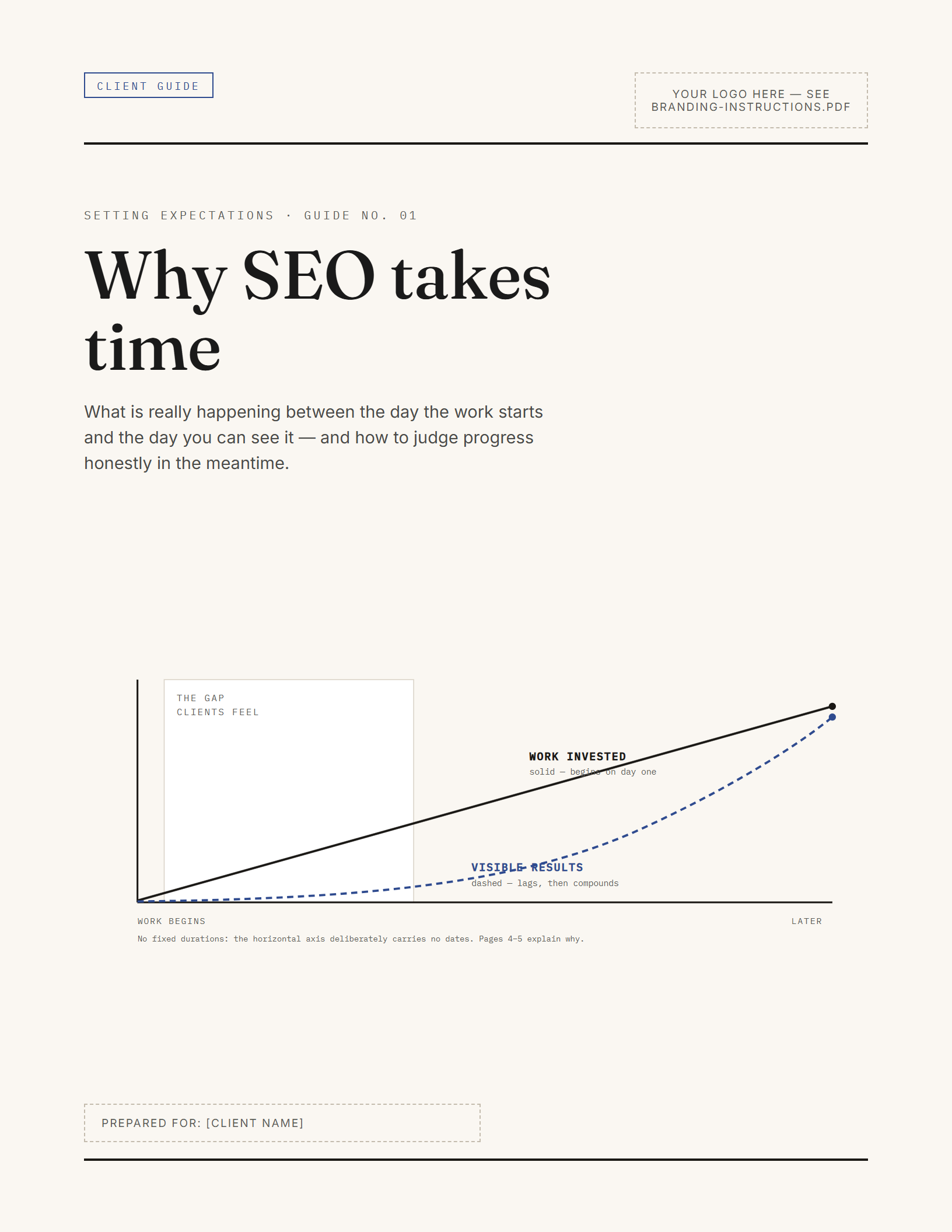
01 · week one
Why SEO takes time
Your client expected results in thirty days. It is month two. You have had this conversation before, and you will not bill for it.
The kickoff conversation. Hand it over in week one, before the first 'where are the results' email exists.
- Format
- Guide, 12 pages
- Editable
- DOCX + Canva-importable PPTX
- Sources
- 4 primary
- Files
- 11